
Cancel SwiftCall Subscription
Published by The Basic Software Company on 2026-06-26Uncover the ways The Basic Software Company (the company) bills you and cancel your SwiftCall subscription.
🚨 Guide to Canceling SwiftCall 👇
Note before cancelling:
- The developer of SwiftCall is The Basic Software Company and all inquiries go to them.
- Check The Basic Software Company's Terms of Services/Privacy policy if they support self-serve cancellation:
- Always cancel subscription 24 hours before it ends.
🌐 Cancel directly via SwiftCall
- 🌍 Contact SwiftCall Support
- Mail SwiftCall requesting that they cancel your account:
- E-Mail: support@getcalley.com
- Login to your SwiftCall account.
- In the menu section, look for any of these: "Billing", "Subscription", "Payment", "Manage account", "Settings".
- Click the link, then follow the prompts to cancel your subscription.
End SwiftCall subscription on iPhone/iPad:
- Goto Settings » ~Your name~ » "Subscriptions".
- Click SwiftCall (subscription) » Cancel
Cancel subscription on Android:
- Goto Google PlayStore » Menu » "Subscriptions"
- Click on SwiftCall: Auto Dialer & CRM
- Click "Cancel Subscription".
💳 Cancel SwiftCall on Paypal:
- Goto Paypal.com .
- Click "Settings" » "Payments" » "Manage Automatic Payments" (in Automatic Payments dashboard).
- You'll see a list of merchants you've subscribed to.
- Click on "SwiftCall" or "The Basic Software Company" to cancel.
Have a Problem with SwiftCall: Auto Dialer & CRM? Report Issue
About SwiftCall: Auto Dialer & CRM?
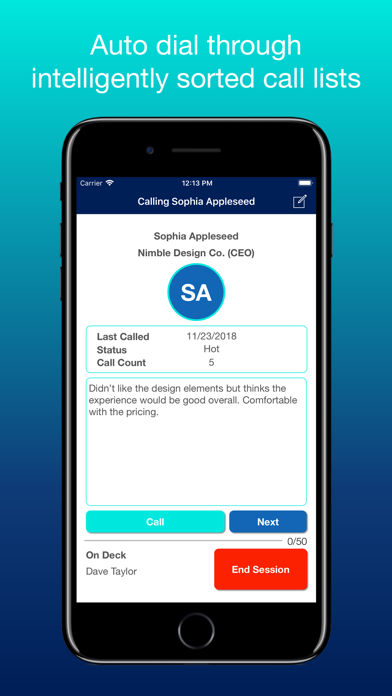
1. Warm up your cold calls with SwiftCall! SwiftCall is an auto dialer that will help you and your team swiftly autodial through your call lists.
2. SwiftCall will keep auto dialing and presenting leads to you in rapid succession, while helping you document call notes and then taking follow-up actions.
3. Organize call lists based on your progress (cold leads, warm leads, hot leads) or by Subgroups, such as by industry or geographic location (SwiftCall Pro).
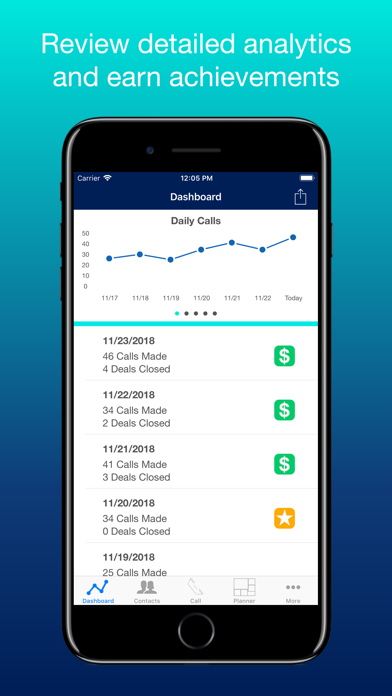
4. If you have been calling over 25, 50, or even 100 leads per day, get ready for SwiftCall to revolutionize the way you make calls.
5. SwiftCall warms up your cold calling by helping you dial more leads more quickly and by making every step of the process easier.