
Cancel Doula Life Subscription
Published by Chris JohnsonUncover the ways Chris Johnson (the company) bills you and cancel your Doula Life subscription.
🚨 Guide to Canceling Doula Life 👇
Note before cancelling:
- The developer of Doula Life is Chris Johnson and all inquiries go to them.
- Always cancel subscription 24 hours before it ends.
🌐 Cancel directly via Doula Life
- Mail Doula Life requesting that they cancel your account:
- Login to your Doula Life account.
- In the menu section, look for any of these: "Billing", "Subscription", "Payment", "Manage account", "Settings".
- Click the link, then follow the prompts to cancel your subscription.
End Doula Life subscription on iPhone/iPad:
- Goto Settings » ~Your name~ » "Subscriptions".
- Click Doula Life (subscription) » Cancel
Cancel subscription on Android:
- Goto Google PlayStore » Menu » "Subscriptions"
- Click on Doula Life
- Click "Cancel Subscription".
💳 Cancel Doula Life on Paypal:
- Goto Paypal.com .
- Click "Settings" » "Payments" » "Manage Automatic Payments" (in Automatic Payments dashboard).
- You'll see a list of merchants you've subscribed to.
- Click on "Doula Life" or "Chris Johnson" to cancel.
Have a Problem with Doula Life? Report Issue
About Doula Life?
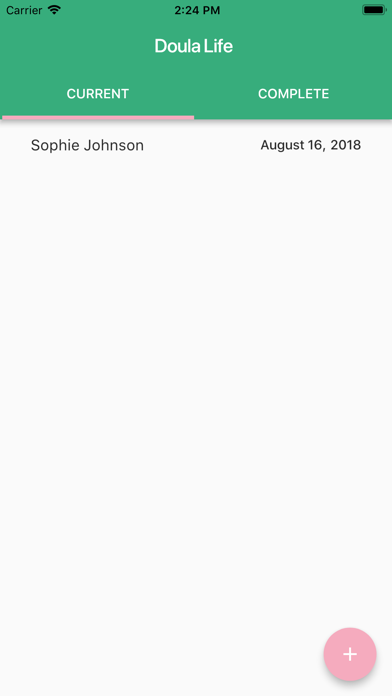
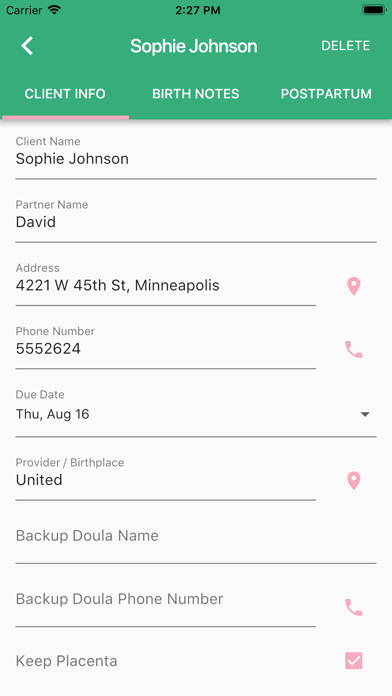
1. It was created to allow birth doulas to easily and quickly make notes about a birth, store their clients' information, track mileage, and record the dates of meetings and payments.
2. Doula Life was designed by a birth doula and made by her software designer husband.
3. No data will be uploaded to the cloud (apart from app backup data in iCloud).
4. All meetings can be synced to your phone's calendar to better integrate with your life.
5. Information can also be sent to your email or cloud storage.