Cancel My Lunar New Year Subscription
Published by Stefan Van Damme on 2025-09-25Uncover the ways Stefan Van Damme (the company) bills you and cancel your My Lunar New Year subscription.
🚨 Guide to Canceling My Lunar New Year 👇
Note before cancelling:
- The developer of My Lunar New Year is Stefan Van Damme and all inquiries go to them.
- Always cancel subscription 24 hours before it ends.

🌐 Cancel directly via My Lunar New Year
- Mail My Lunar New Year requesting that they cancel your account:
- Login to your My Lunar New Year account.
- In the menu section, look for any of these: "Billing", "Subscription", "Payment", "Manage account", "Settings".
- Click the link, then follow the prompts to cancel your subscription.
End My Lunar New Year subscription on iPhone/iPad:
- Goto Settings » ~Your name~ » "Subscriptions".
- Click My Lunar New Year (subscription) » Cancel
Cancel subscription on Android:
- Goto Google PlayStore » Menu » "Subscriptions"
- Click on My Lunar New Year - Countdown
- Click "Cancel Subscription".
💳 Cancel My Lunar New Year on Paypal:
- Goto Paypal.com .
- Click "Settings" » "Payments" » "Manage Automatic Payments" (in Automatic Payments dashboard).
- You'll see a list of merchants you've subscribed to.
- Click on "My Lunar New Year" or "Stefan Van Damme" to cancel.
Have a Problem with My Lunar New Year - Countdown? Report Issue
About My Lunar New Year - Countdown?
1. Lunar New Year, also known as Chinese New Year or the Spring Festival, is a celebration that marks the beginning of a new year on the traditional lunisolar Chinese calendar.
2. This application helps you count down the days until Lunar New Year by converting the date from the traditional Chinese lunar calendar to the Gregorian calendar.
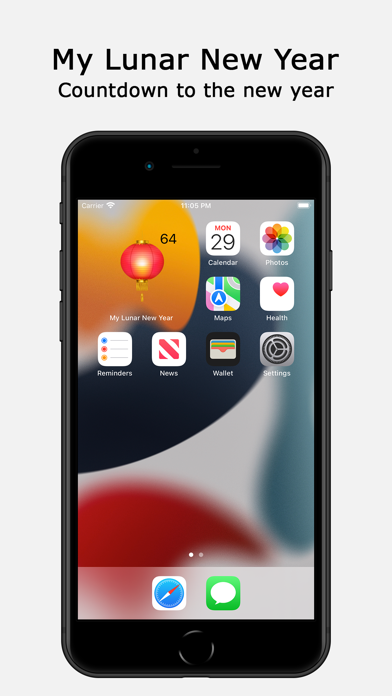
3. Personalize your desktop this Lunar New Year with a festive decoration on your home screen.
4. It is celebrated to mark the beginning of the lunar calendar year.
5. When you install the app for the first time, you will see an animated red Chinese lantern on your desktop, with a flickering flame that creates a vivid effect.