Cancel Fast Notes Pro ,Memo and lists Subscription
Published by Emanuele Floris on 2025-07-21Uncover the ways Emanuele Floris (the company) bills you and cancel your Fast Notes Pro ,Memo and lists subscription.
🚨 Guide to Canceling Fast Notes Pro ,Memo and lists 👇
Note before cancelling:
- The developer of Fast Notes Pro ,Memo and lists is Emanuele Floris and all inquiries go to them.
- Always cancel subscription 24 hours before it ends.
🌐 Cancel directly via Fast Notes Pro ,Memo and lists
- Mail Fast Notes Pro ,Memo and lists requesting that they cancel your account:
- E-Mail: dvdb.software@gmail.com
- Login to your Fast Notes Pro ,Memo and lists account.
- In the menu section, look for any of these: "Billing", "Subscription", "Payment", "Manage account", "Settings".
- Click the link, then follow the prompts to cancel your subscription.
End Fast Notes Pro ,Memo and lists subscription on iPhone/iPad:
- Goto Settings » ~Your name~ » "Subscriptions".
- Click Fast Notes Pro ,Memo and lists (subscription) » Cancel
Cancel subscription on Android:
- Goto Google PlayStore » Menu » "Subscriptions"
- Click on Fast Notes Pro ,Memo and lists
- Click "Cancel Subscription".
💳 Cancel Fast Notes Pro ,Memo and lists on Paypal:
- Goto Paypal.com .
- Click "Settings" » "Payments" » "Manage Automatic Payments" (in Automatic Payments dashboard).
- You'll see a list of merchants you've subscribed to.
- Click on "Fast Notes Pro ,Memo and lists" or "Emanuele Floris" to cancel.
Have a Problem with Fast Notes Pro ,Memo and lists? Report Issue
About Fast Notes Pro ,Memo and lists?
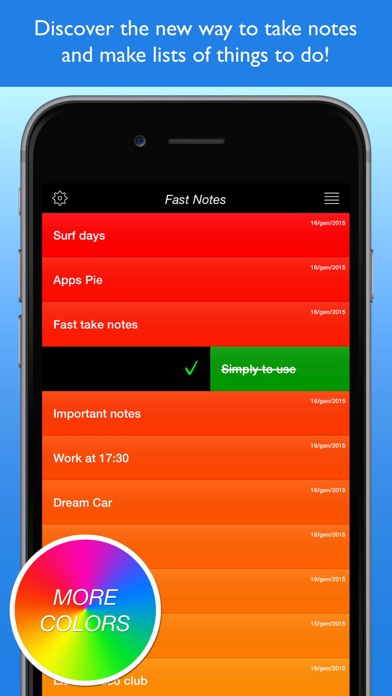
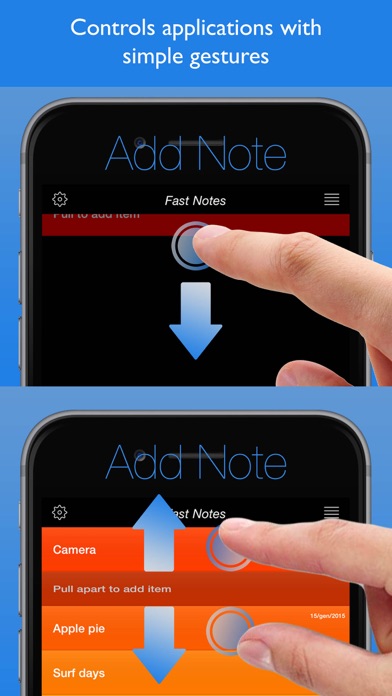
Discover the new way to take notes and make lists of things to do. Controls applications with simple gestures. You’ll stop using a pen and paper with this innovative app. Download it and use it on both your ipad and iphone. .