Cancel 2Do Subscription
Published by Beehive Innovations Services on 2026-04-15Uncover the ways Beehive Innovations Services (the company) bills you and cancel your 2Do subscription.
🚨 Guide to Canceling 2Do 👇
Note before cancelling:
- The developer of 2Do is Beehive Innovations Services and all inquiries go to them.
- Always cancel subscription 24 hours before it ends.

🌐 Cancel directly via 2Do
- 🌍 Contact 2Do Support
- Mail 2Do requesting that they cancel your account:
- E-Mail: noreply@websupportonly.com
- Login to your 2Do account.
- In the menu section, look for any of these: "Billing", "Subscription", "Payment", "Manage account", "Settings".
- Click the link, then follow the prompts to cancel your subscription.
End 2Do subscription on iPhone/iPad:
- Goto Settings » ~Your name~ » "Subscriptions".
- Click 2Do (subscription) » Cancel
Cancel subscription on Android:
- Goto Google PlayStore » Menu » "Subscriptions"
- Click on 2Do - Todo List, Tasks & Notes
- Click "Cancel Subscription".
💳 Cancel 2Do on Paypal:
- Goto Paypal.com .
- Click "Settings" » "Payments" » "Manage Automatic Payments" (in Automatic Payments dashboard).
- You'll see a list of merchants you've subscribed to.
- Click on "2Do" or "Beehive Innovations Services" to cancel.
Have a Problem with 2Do - Todo List, Tasks & Notes? Report Issue
About 2Do - Todo List, Tasks & Notes?
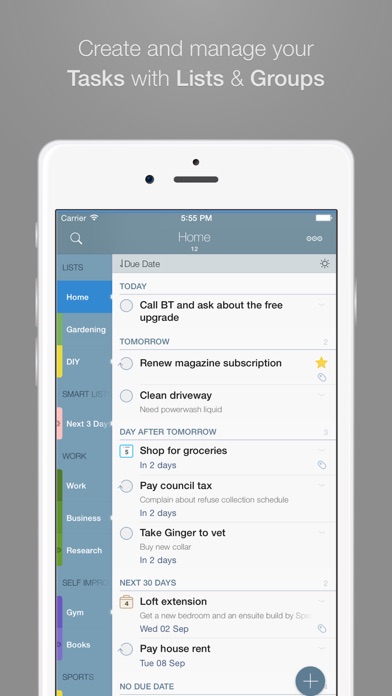
1. • In addition to built-in Focus lists that allow you to conveniently view upcoming, starred or scheduled tasks, you can create multiple lists to manage and organize your tasks.
2. Using Smart Lists, you can create custom views of your tasks and use them to focus-in or find frequently managed tasks.
3. • With focus on switching between editors effortlessly using a single tap only, you’ll save dozens of taps and swipes when editing your tasks.
4. • Leverage the powerful integration of Tags & Smart Lists to filter on frequently managed tasks.
5. • Stay in sync using one of the following: Dropbox, Reminders (CalDAV), Toodledo, Fruux (CalDAV), Calendar Server (CalDAV), ownCloud (CalDAV), SabreDAV (CalDAV) or a 3rd party CalDAV Server of choice.