Cancel Photo Measures Subscription
Published by CubentUncover the ways Cubent (the company) bills you and cancel your Photo Measures subscription.
🚨 Guide to Canceling Photo Measures 👇
Note before cancelling:
- The developer of Photo Measures is Cubent and all inquiries go to them.
- Always cancel subscription 24 hours before it ends.
🌐 Cancel directly via Photo Measures
- 🌍 Contact Photo Measures Support
- Mail Photo Measures requesting that they cancel your account:
- E-Mail: support@bigbluepixel.com
- Login to your Photo Measures account.
- In the menu section, look for any of these: "Billing", "Subscription", "Payment", "Manage account", "Settings".
- Click the link, then follow the prompts to cancel your subscription.
End Photo Measures subscription on iPhone/iPad:
- Goto Settings » ~Your name~ » "Subscriptions".
- Click Photo Measures (subscription) » Cancel
Cancel subscription on Android:
- Goto Google PlayStore » Menu » "Subscriptions"
- Click on Photo Measures
- Click "Cancel Subscription".
💳 Cancel Photo Measures on Paypal:
- Goto Paypal.com .
- Click "Settings" » "Payments" » "Manage Automatic Payments" (in Automatic Payments dashboard).
- You'll see a list of merchants you've subscribed to.
- Click on "Photo Measures" or "Cubent" to cancel.
Have a Problem with Photo Measures? Report Issue
About Photo Measures?
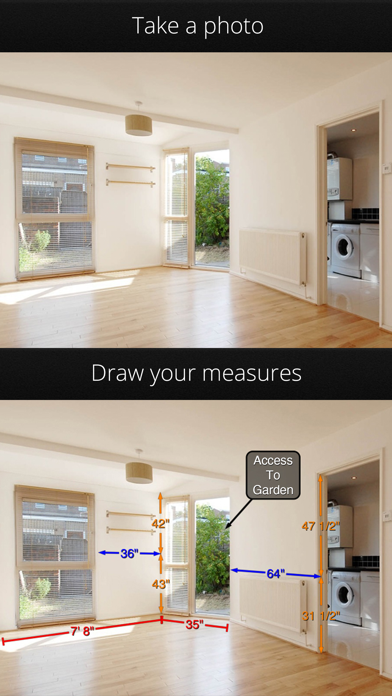
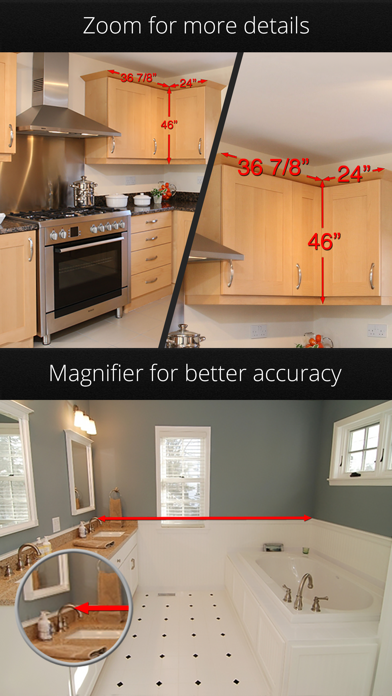
1. Whenever you need to save dimensions, sizes, angles or write down a detail you need to remember, Photo Measures will help you to be more efficient and more accurate.
2. Need to keep in mind the exact dimensions of an object? Just take a photo and quickly write them on it.
3. Featured on the front page of the AppStore under New & Noteworthy and Staff Favorites in more than 70 countries, including the US, France, Germany and Canada.
4. Take some photos and note down the dimensions on the photos to remember the exact layout, and to make sure that everything will fit easily.