
Cancel Stress Therapy Subscription & Save $99.99/yr
Published by Switch On Your Brain International LLC on 2026-08-20Uncover the ways Switch On Your Brain International LLC (the company) bills you and cancel your Stress Therapy subscription.
🚨 Guide to Canceling Stress Therapy 👇
Note before cancelling:
- The developer of Stress Therapy is Switch On Your Brain International LLC and all inquiries go to them.
- Check Switch On Your Brain International LLC's Terms of Services/Privacy policy if they support self-serve cancellation:
- Always cancel subscription 24 hours before it ends.
Your Potential Savings 💸
**Pricing data is based on average subscription prices reported by AppCutter.com users..
| Plan | Savings (USD) |
|---|---|
| One Month | $14.99 |
| 3 month | $29.99 |
| Best Value 12 Month | $99.99 |
| 3 Month Promo For NYE | $19.99 |
🌐 Cancel directly via Stress Therapy
- 🌍 Contact Stress Therapy Support
- Mail Stress Therapy requesting that they cancel your account:
- E-Mail: help@neurocycle.app
- Login to your Stress Therapy account.
- In the menu section, look for any of these: "Billing", "Subscription", "Payment", "Manage account", "Settings".
- Click the link, then follow the prompts to cancel your subscription.
End Stress Therapy subscription on iPhone/iPad:
- Goto Settings » ~Your name~ » "Subscriptions".
- Click Stress Therapy (subscription) » Cancel
Cancel subscription on Android:
- Goto Google PlayStore » Menu » "Subscriptions"
- Click on Stress Therapy: Neurocycle
- Click "Cancel Subscription".
💳 Cancel Stress Therapy on Paypal:
- Goto Paypal.com .
- Click "Settings" » "Payments" » "Manage Automatic Payments" (in Automatic Payments dashboard).
- You'll see a list of merchants you've subscribed to.
- Click on "Stress Therapy" or "Switch On Your Brain International LLC" to cancel.
Subscription Costs (Saved) 💰
- 3 Day Neurocycle's App day trial
- Auto-renewal Subscriptions:
- 1 Month ($14.99/pr Month)
- 12 Month ($69.99/pr Year)
- Auto-renewal Subscription Contains:
- Unlimited Access to 21 Day Program
- Receive Daily Tips
Have a Problem with Stress Therapy: Neurocycle? Report Issue
Reviews & Common Issues: 2 Comments
By Elaine
6 months agoTried to cancel on website and received error code. The help email address from FAQ also was not delivered. Need updates instructions on how to cancel.
By Joyce McKeever
2 years agoI am having trouble deleting my account for Neurocycle. It should not be diffricult but I have not been able to figure it out. I have followed directions. When I click thew bottom of the page to delete, it always says try later. Is this some kind of scam. She seems so nice when you watch her videos, but I am beginning to wonder.
About Stress Therapy: Neurocycle?
1. If you experience any unexpected behavior, please contact us directly at help@neurocycle.app or leave a comment in the app beta Facebook group: before writing a review, and we will address the issues as soon as possible to improve the quality of your experience.
2. - Account will be charged for renewal within 24-hours prior to the end of the current period, and identify the cost of the renewal.
3. - Subscriptions may be managed by the user and auto-renewal may be turned off by going to the user's Account Settings after purchase.
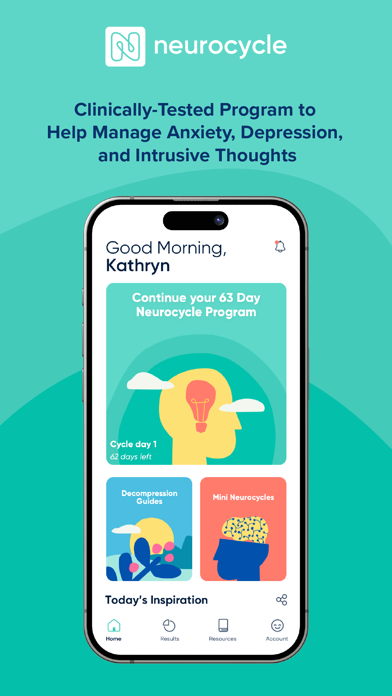
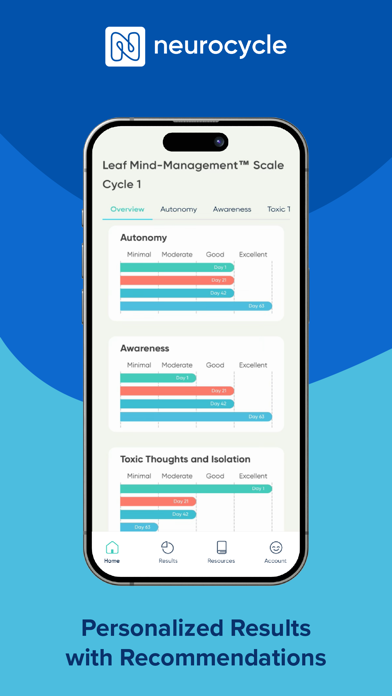
4. Leaf's scientifically researched and revolutionary 5 Step Process to help you take back control over your thoughts and your life.
5. “This app is a life changer! I discovered and used this program while I was a police offi-cer.