Cancel Total files pro Subscription
Published by App Ideas on 2026-06-23Uncover the ways App Ideas (the company) bills you and cancel your Total files pro subscription.
🚨 Guide to Canceling Total files pro 👇
Note before cancelling:
- The developer of Total files pro is App Ideas and all inquiries go to them.
- Always cancel subscription 24 hours before it ends.

🌐 Cancel directly via Total files pro
- 🌍 Contact Total files pro Support
- Mail Total files pro requesting that they cancel your account:
- E-Mail: developer@appideas.it
- Login to your Total files pro account.
- In the menu section, look for any of these: "Billing", "Subscription", "Payment", "Manage account", "Settings".
- Click the link, then follow the prompts to cancel your subscription.
End Total files pro subscription on iPhone/iPad:
- Goto Settings » ~Your name~ » "Subscriptions".
- Click Total files pro (subscription) » Cancel
Cancel subscription on Android:
- Goto Google PlayStore » Menu » "Subscriptions"
- Click on Total files pro
- Click "Cancel Subscription".
💳 Cancel Total files pro on Paypal:
- Goto Paypal.com .
- Click "Settings" » "Payments" » "Manage Automatic Payments" (in Automatic Payments dashboard).
- You'll see a list of merchants you've subscribed to.
- Click on "Total files pro" or "App Ideas" to cancel.
Have a Problem with Total files pro? Report Issue
About Total files pro?
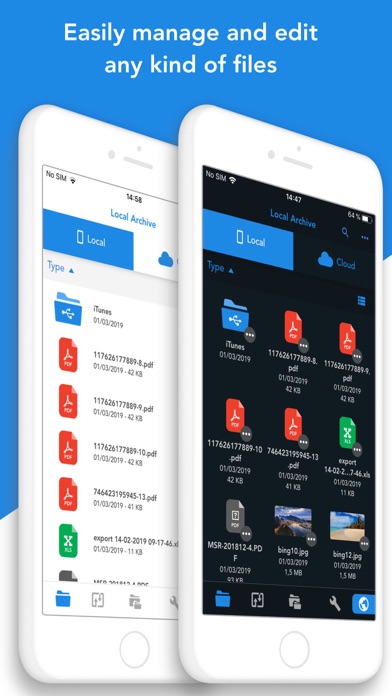
1. You'll not need to install a separate app for each storage provider that you want to use from your device! Link all cloud accounts in Total Files and enjoy the full integration with iOS.
2. For example, thanks to the iOS “Files” integration, you can directly save files to one of the cloud linked in Total, simply using the "Save in files” feature available in any apps on your device.
3. - Simultaneous linking of multiple Cloud accounts and management of folders shared with other users.
4. Virtual folders allows to group files that come from different sources (cloud or local).
5. - iOS 11 Files app integration for ALL clouds linked to the app in read write mode.